Sovereign AI — How It Works

AI That Works the Way You Need It To

Hours of routine work handled automatically. Your confidential data stays under your control.

Your Data, Your Control

Control Is Always Local. Processing Scales With You.

Venho separates what must stay private from what can be processed anywhere. The architecture is straightforward — and fully inspectable.

What Stays Local

These are never stored outside your devices:

Your data and business memory

Your conversation history

Your workflow configurations

Your approval decisions

Your connection credentials

Non-negotiable. Your control layer is always local.

Where Processing Happens

You control where AI processing happens:

Local model runs on your device by default

More capable hardware runs larger models locally

Cloud available for tasks that need more capability

You set policies for what goes where

Nothing routes to cloud without your permission

Disable cloud processing entirely if you choose

Local by default. Cloud only when you choose it.

Venho cloud is an optional processing layer

When you use Venho cloud processing, your request is processed and returned – never stored outside your devices.

Anything Venho stores stays on your devices

Your emails, files, and calendar stay in your existing tools throughout. Venho connects to them – it doesn't replace them.

GDPR Compliance

Venho gives you the architecture to stay GDPR compliant — how you configure it determines your actual compliance.

Data minimization — Only necessary context processed; see exactly what was sent for each run in your audit log

Data residency — Your data stays on your devices

Right to access — Export all data in standard formats

Right to erasure — Delete your data locally anytime

Cross-border control — You choose where processing happens

How Routing Works

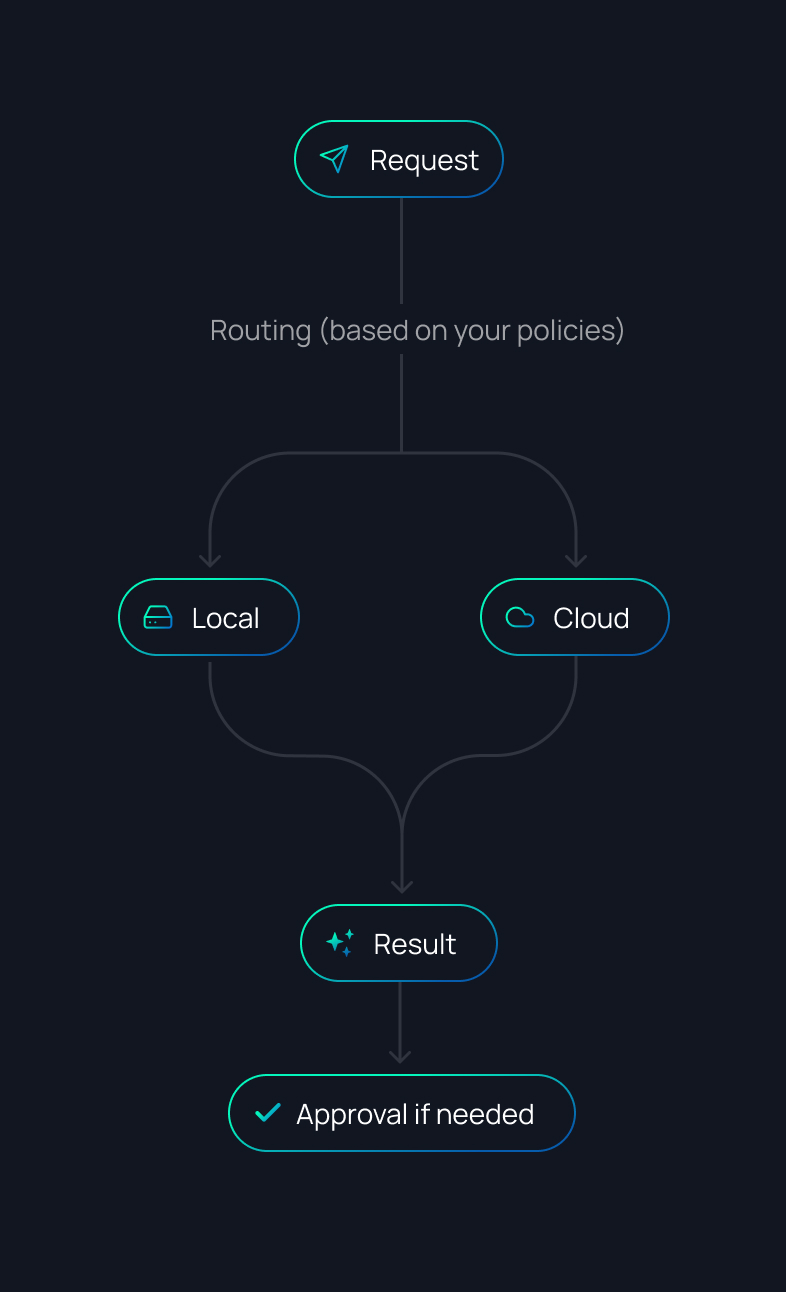
Venho routes each task to the right AI model based on your policies:

1

You make a request

"Draft a response to this email"

2

Routing follows your rules

- Simple task? → Local model (fast, private, included)

- Complex task? → More capable model (your policies control where)

- Sensitive data? → Stays fully local (if you've configured it that way)

3

You can verify everything

- See which model handled each task

- See which provider was used

- See exactly what context was sent – and what wasn't

- View full audit logs

- Adjust your routing policies anytime

If a task can't run under your policies, Venho pauses and asks — it never silently reroutes.

AI Acts, You Decide

Real Action, Real Control

Venho takes real action in your business — sending emails, updating systems, running workflows. With permissions and approvals built in from the start.

Permissions — What AI Can Access:

You control what each assistant can see and do:

Which data it can read (emails, messages, contacts, and more)

Which files and folders it can access

Which tools it can connect to

Which AI models it can use

Which actions it can take

Set once, adjust anytime.

Approvals — You Sign Off When It Matters:

Out of the box, Venho never performs external actions without your approval. Configure how much autonomy each assistant has:

Reading and analysing your data — runs automatically, no interruption

Drafting content — runs automatically, ready for your review

Actions inside your tools — you choose: automatic or approval required

Sending emails or messages — requires your approval before anything goes out

Sensitive actions always require approval — you define what counts as sensitive.

The Experience:

When approval is needed:

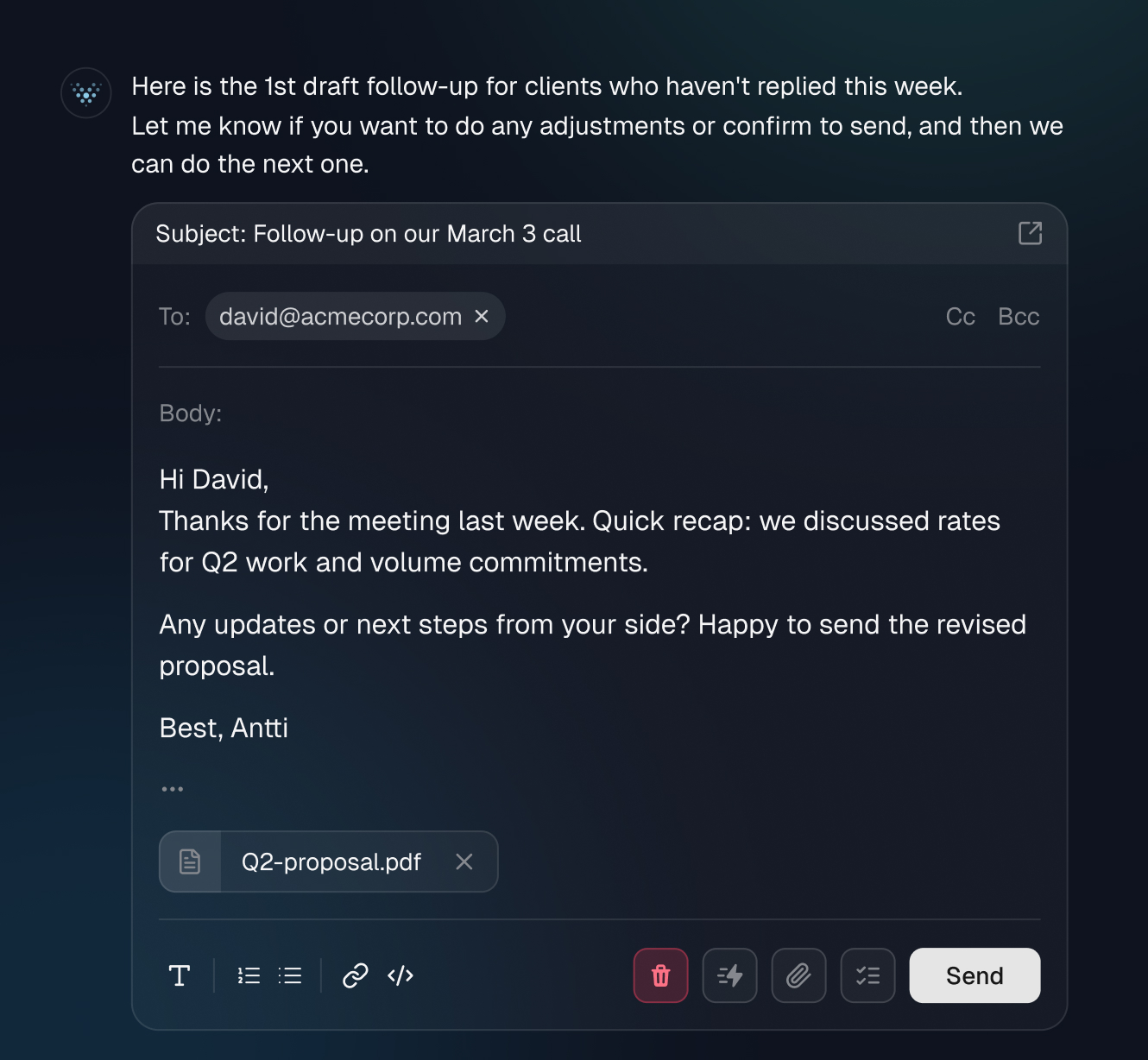
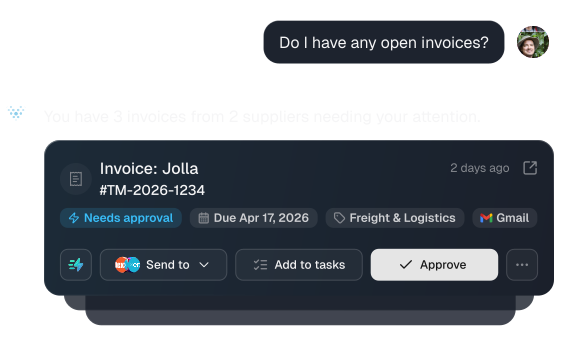
Routine approvals are grouped into a batch — review them card by card, always seeing exactly what you're approving

AI completes the work and presents it for review

You see exactly what will happen before it does

Approve, edit, or reject each action

AI handles the work. You always know what you're signing off on.

Join Waitlist for Early Access

Be the first to experience Venho’s privacy-first AI. 
Join our waitlist for early access in April 2026.

What Venho Does

Every Part of Your Workday, Handled

Pre-built capabilities from day one. Customize to fit how you work. Build what's missing.

One Context or Many —
Each Completely Separate

This is where Venho works differently from typical AI tools.

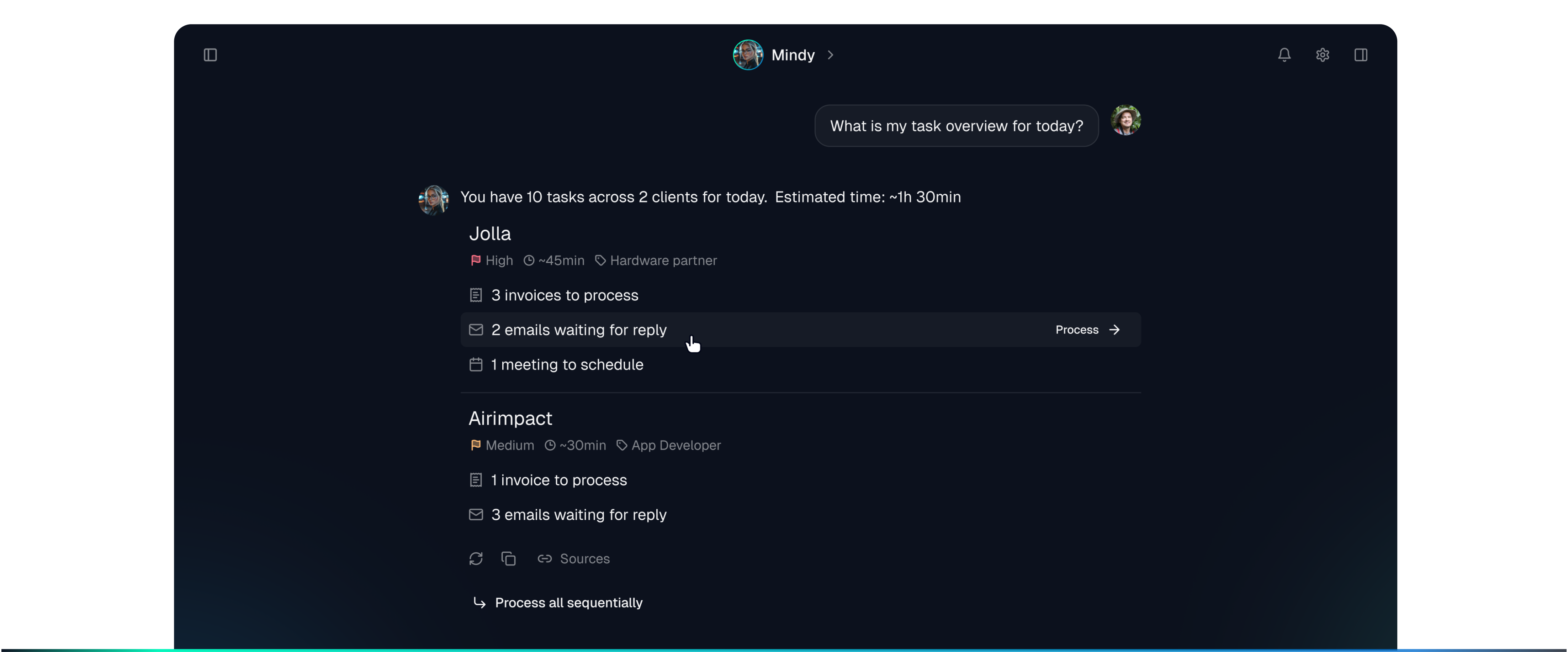
Whether you're managing multiple clients, running separate businesses,or juggling multiple roles — set the context and your assistant onlysees what belongs there. Switch contexts, everything switches with it. Same assistant, complete separation.

Nothing mixes. Not in memory, not in outputs, not anywhere.

Persistent Memory — AI That Knows Your Work

Chat AI starts from scratch every time. Venho remembers:

Your connections

Email, calendar, files, apps. Two-way sync, always current.

What you're tracking

Active clients, projects, goals.

Your preferences

Communication style, work patterns. Adjustable anytime.

Your history

Every conversation saved locally on your device.

Inspect what's stored, edit saved context, control what gets included. Only necessary context goes to processing — not your entire database.

See It in Practice

Core Capabilities

All through natural conversation. Inspect and adjust how AI applies your context at any time.

Email & Communication

Draft, send, reply, follow up, prioritize inbox.

Calendar & Scheduling

Manage events, schedule task blocks, protect focus time.

Tasks & Projects

Create, organize, break down complex work, track progress.

Documents & Writing

Draft proposals, reports, notes, documents using your business context.

Contacts & CRM

Manage relationships, track interactions, enrich contacts with web research, and nurture your network.

Goals & Planning

Set goals, weekly and monthly planning, capacity analysis.

Analysis & Insights

Track productivity, measure progress, generate reports.

Workflow Automation

Review any workflow before enabling — see exactly what it will do.

Background workflows

Run on triggers you define. Process emails, generate reports, update systems.

Multi-step tasks

Describe a complex goal in natural language, Venho breaks it into steps, you review before it starts.

Scheduled tasks

Weekly reports, daily summaries. Set once, runs on schedule.

Templates

Reusable patterns for documents, reports, processes.

Connected Tools

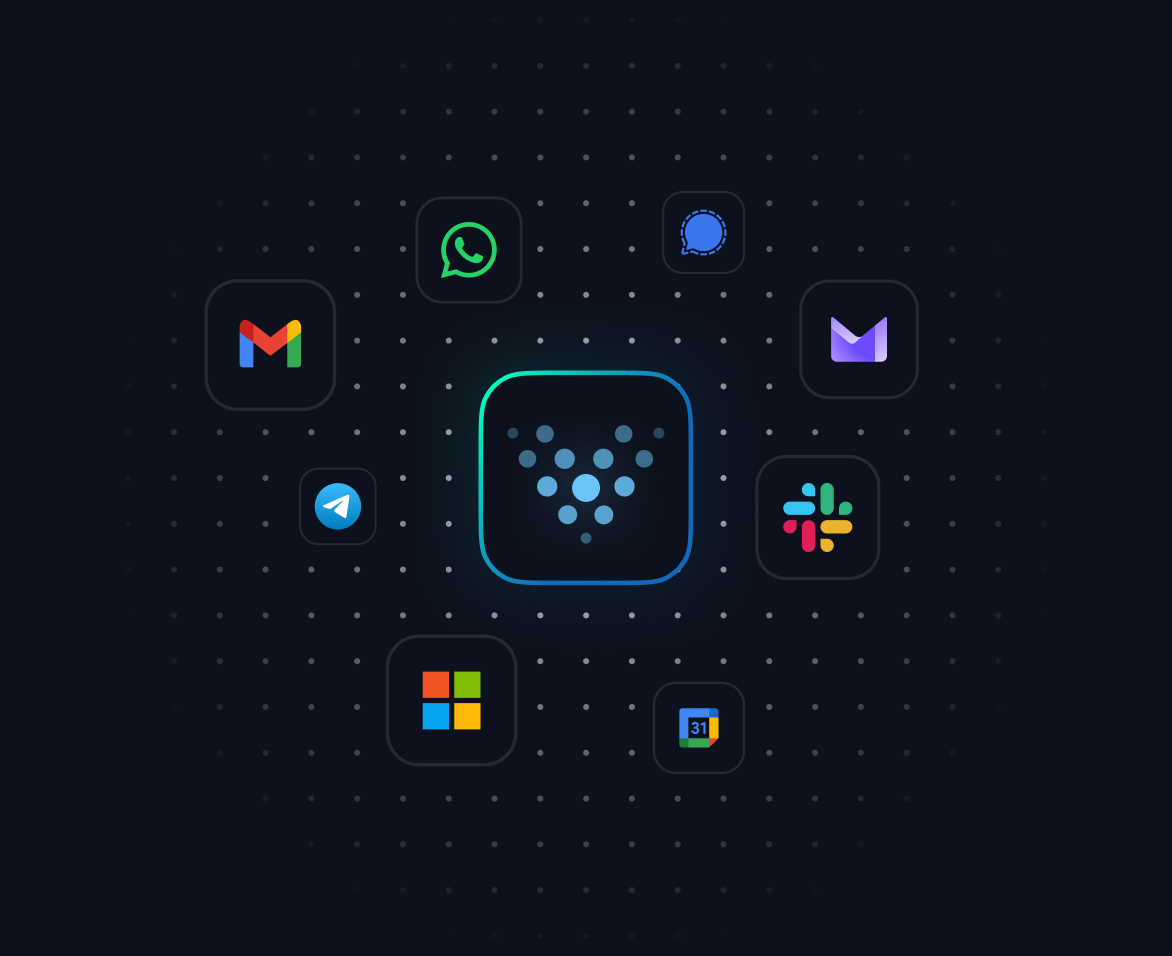
Email — IMAP/SMTP, Outlook (self-setup), Gmail (self-setup)

Calendar — Outlook (self-setup), Google Calendar (self-setup), and any CalDAV-compatible calendar

Files — Local folders

Communication — Slack, WhatsApp

Custom — Via API

Two-way sync: read data and take actions. Your data stays in your tools — Venho accesses it in place.

01

Start Simple, Go Deep

Describe What You Need. Review What's Generated.

Tell Venho what you need — it builds it. You review and refine before anything activates. We can't anticipate everything your business needs. So we built Venho to be extended. 
Start with what's included. Add what's missing.

0
1
2
3
01

Configure

Adjust pre-built assistants:

Communication tone and style

Data access — which emails, calendars, files and tools each assistant can see and use

No coding. Natural language or simple settings.

02

Build

Create custom assistants and workflows through conversation. Venho generates it. You review the steps, permissions, and datascope — then activate.

Custom assistants for your specific needs

Multi-step workflows triggered by events

Templates for documents, reports, processes

Scheduled automations

Generated workflows are fully editable.

03

Extend

For custom connections and complex builds:

Build custom connections to any data source

Create new data types and how they display

Design custom views for your specific workflows

Access workflow code directly

Create and share extensions

Most teams never need this. But if Venho doesn't do something you need out of the box, 
you can build it — the Venho even writes the code for you.

Instructions
To make this component work with other components you must:
  1. Add a background color to the section div above ↑ this Timeline section. This is will help hide the progress line overflow.
  2. Add z-index-2 class to the section div above ↑ this Timeline section. This will ensure the oveflowing progress line from the Timeline section below ↓ is hidden underneath it.

Ready in Minutes

From Download to Productive 
in Under 10 Minutes

Connect your tools, start working. Everything else syncs in the background.

Step 1

Download & Install

Windows, Mac, or Linux — 16GB RAM or more. Installation takes a couple of minutes.

Step 2

Create Your Account

Sign up, select your plan, and verify via email. Your 14-day trial starts immediately.

Step 3

Explore While You Set Up

Start chatting and exploring capabilities straight away — no waiting. Initial conversations use cloud processing to get you moving immediately. Your data isn't touched at this stage — we're showing you what the system can do while local models load in the background. You'll see progress as they install.

Step 4

Connect Your Tools

Link email, calendar, and files. Your data stays where it is — Venho connects to it in place. Major providers supported. Custom connections available.

Step 5

Start Working

Pre-built assistants are ready as soon as you connect your tools. Memory builds in the background as your data syncs. Add more local models anytime — compatible options shown for your hardware.

Step 6

Customize Over Time

Adjust preferences. Build workflows. Add connections.

Ready to Get Your Time Back?

You've seen how it works. Join the waitlist and be first to use it. 
Beta launching April 2026. We'll email you when it's ready.

14-day trial

Runs locally by default

Export anytime